Pydantic Logfire

https://pydantic.dev/logfire

Pydantic Logfire

10M records free every month No card required

AI Observability Platform for LLMs, Apps & AI Agents

Monitor your entire AI application stack, not just the LLM calls. See the model call, the agent's next step, the API request and the database query behind it in one trace. SDKs for Python, JavaScript/TypeScript and Rust, and OpenTelemetry for everything else.

This prompt was copied from the Pydantic Logfire website. Set up Logfire in this repository end to end and confirm that fresh data reaches the intended Logfire project.
Keep the user informed with short progress updates, but continue through ordinary, reversible setup work without asking for approval. Do not require a clean Git working tree, a new branch, commits, a detailed task list, plan approval, or commands the user could run only because you chose not to run them. Preserve existing work and follow the repository's instructions.
Pause only for a real decision or boundary: interactive browser authentication, a genuinely ambiguous application or target project after inspection, enabling capture of potentially sensitive AI content, materially increasing production telemetry or cost, deployment or infrastructure changes, or destructive, irreversible, or unrelated work. Ask one concrete question when you need to pause.
## Goal
Get one representative runnable service sending useful traces, logs, or metrics to the exact Logfire project, then verify the first fresh signal. In a monorepo or multi-service system, prove this loop for one service before offering to expand to the rest.
## 1. Understand the repository
1. Read the applicable `AGENTS.md`, `CLAUDE.md`, `README.md`, contribution guidance, and existing setup or deployment files.
2. Identify the language, runtime, package manager, runnable application entry point, and one representative request, job, or agent run to exercise. If this is a library with no application entry point, do not put SDK configuration in library code; use an existing example application or ask one focused question about what should run.
3. Look for existing OpenTelemetry, tracing, logging, sampling, redaction, and exporter configuration. Reuse that telemetry path instead of creating a competing provider or duplicate exporter. Preserve existing scrubbing, sampling, and logging behavior.
4. Inspect the working tree so you do not overwrite the user's changes, but do not make cleanliness, branching, or commits prerequisites for setup.
## 2. Authenticate and select the exact project
Determine the target project's region from its URL or the user's context before authenticating. Run the Logfire CLI yourself from the application directory. Use `uvx logfire` for project authentication and selection regardless of the application's language or package manager; this is a setup tool, not an application dependency. If `uv` is unavailable, install it from https://docs.astral.sh/uv/getting-started/installation/, then use this sequence:
```bash
uvx logfire auth
uvx logfire projects list
uvx logfire projects use <project-name>
uvx logfire whoami
```
1. Run the `auth` command. Let the user complete the browser sign-in if prompted, then continue as soon as the CLI succeeds. The region flag is global and must come immediately after `logfire`, for example `uvx logfire --region eu auth`. Use the same placement on project commands when the target region is known. If it is unknown, omit the flag and let `auth` ask.
2. Run `projects list`. Select the organization and project established by the user's URL or context. If exactly one project is available, use it. If several projects are plausible and repository evidence does not identify the target, ask the user one concise project-selection question. If no projects exist, ask for the project name and run `uvx logfire projects new <project-name>` instead of stopping at an empty list.
3. If local `.logfire` credentials or `LOGFIRE_TOKEN` already exist, run `whoami` before creating another token. Reuse them only when they identify the exact intended project and region.
4. Otherwise, from the application root, run `projects use <project-name>` (add `--org <organization-name>` when needed). This creates `.logfire/logfire_credentials.json` plus `.logfire/.gitignore` with a project-scoped write token for local Python and Node.js development.
5. Run `whoami` and record the exact organization, project, region, and project URL. `LOGFIRE_TOKEN` takes precedence over local credentials, so correct or remove a mismatched ambient token before exercising the app. Authentication alone is not enough: credentials, instrumentation, verification, and every link you give the user must all refer to this same project. Never silently substitute a latest-project redirect or a different convenient project.
Never ask the user to paste a token into chat, and never print, log, hard-code, or commit one. Do not echo, print, or otherwise display the contents of `.logfire/logfire_credentials.json`, `~/.logfire/default.toml`, or any file holding a token in your own output -- a missing or malformed credentials file surfaces as a clear CLI error the next time you run `logfire`, so there is no need to open either file just to check it looks right. Run local Python and Node.js workloads from the directory containing `.logfire`, or set `LOGFIRE_CREDENTIALS_DIR` when their working directory differs. For Rust, Workers, deployed applications, and generic OpenTelemetry setups that do not read local CLI credentials, read the CLI-created token programmatically and transfer it without displaying it into the runtime's existing gitignored local secret mechanism: `LOGFIRE_TOKEN` for Rust and Workers, or the documented OTLP authorization header for generic clients. Put it in a local environment file only when the application already loads that file safely; use the deployment platform's secret manager for production. Browser code must send through an authenticated same-origin backend proxy and must never contain a write token. If a static browser app has no backend or proxy, do not use it as the first proof path.
## 3. Install and instrument
Use persistent dependency commands that match the repository, such as `uv add`, `pnpm add`, or `cargo add`, rather than a one-off global install.
Before editing instrumentation, fetch and read the official Logfire setup guide for coding agents at https://raw.githubusercontent.com/pydantic/logfire/refs/heads/main/logfire/.agents/skills/logfire-instrumentation/SKILL.md, then read the references it links for the representative service's language and frameworks. Use it to find the right runtime guidance, but verify exact APIs and dependency versions against the current linked documentation and installed package types rather than copying version literals.
- Python: install `logfire` with the relevant extras, such as `logfire[fastapi]`, and configure it once at application startup. For a long-running Python service, include system metrics with the repository's dependency command, for example `uv add 'logfire[system-metrics]'` plus detected framework extras, or `uv add 'logfire[fastapi,system-metrics]'`; then call `logfire.instrument_system_metrics()` after `configure()` so the Hosts view works. Skip it for serverless or short-lived workloads and when an existing OpenTelemetry Collector already sends host metrics; do not use `base='full'` without explicit approval.
- Node.js: use `@pydantic/logfire-node`.
- Browser: use `@pydantic/logfire-browser` with the documented backend `traceUrl` proxy.
- Cloudflare Workers: use `@pydantic/logfire-cf-workers` and `logfire`, with the token stored as a Worker secret.
- Rust: use the `logfire` crate and read `LOGFIRE_TOKEN` from the environment.
- Go, Java, .NET, Ruby, PHP, Elixir, and other languages: use the standard OpenTelemetry SDK and the relevant guide at https://pydantic.dev/docs/logfire/guides/alternative-clients/.
Read https://pydantic.dev/docs/logfire/resources/languages/ and the applicable pages under https://pydantic.dev/docs/logfire/integrations/. For Python, run `logfire inspect` inside the application's own environment after installing Logfire, for example `uv run logfire inspect`; do not use the isolated `uvx` environment for package detection. Prefer supported integrations for the frameworks, databases, HTTP clients, task queues, and AI libraries already used by the representative service. Add a stable service name. If no integration produces an identifiable operation, add one small, useful manual span around the representative request or job rather than scattering instrumentation through the codebase.
For AI instrumentation, begin in metadata-only or no-content mode: record timing, model/provider, token usage, tool names, status, and errors without prompts, responses, tool arguments, tool results, or binary content. Do not assume an instrumentor's default is content-safe and do not rely on scrubbing for AI message attributes. Use explicit documented controls, including `logfire.instrument_pydantic_ai(include_content=False, include_binary_content=False)` for Pydantic AI and `recordInputs: false, recordOutputs: false` with Vercel AI SDK telemetry. If an integration has no documented content-disable control, do not enable that integration on the initial pass; use a small metadata-only manual span or ask for explicit approval. After the first signal is verified, explain the debugging benefit and privacy tradeoff of content capture and enable it only with explicit user approval.
Make the smallest useful setup change. Do not refactor unrelated code, instrument every service before the first success, change production sampling, or deploy anything as part of the initial proof.
## 4. Exercise and verify
1. Run the relevant format, lint, typecheck, and focused tests for the files you changed. Distinguish pre-existing or unrelated failures from regressions caused by the setup; report them, but do not misrepresent them as a Logfire failure.
2. Start the real application or workload from the credential-aware working directory and trigger one representative request, job, or agent run. Note an identifiable service name and operation that should appear. If system metrics were enabled, keep the process alive long enough for at least one collection interval.
3. Check for startup, credential, and exporter errors, but do not treat their absence as success.
4. Confirm that fresh data appears in the exact project reported by `whoami`. Run `uvx logfire projects status` to see what has actually arrived, per service -- if it reports no usable read token, run `uvx logfire read-tokens create --save` and try again -- or use available Logfire MCP, API, or signed-in browser capabilities to search for the service and operation yourself. Never print, log, or paste a token itself. Ask the user to check the exact Live view only when you genuinely cannot access a verification path. If system metrics were enabled and you can access the UI or API, also confirm the host or a fresh `system.*` metric.
If data does not appear, trace the path in order: application startup and configuration, exact project credentials and region, integration registration, the exercised code path, exporter errors or flushing, and ingestion. Make the smallest safe correction, rerun the workload, and verify again. Report one specific blocker if you cannot complete the loop; do not return a generic troubleshooting checklist.
Success means fresh telemetry from the exercised workload was observed in the intended project. Summarize what you changed, what you ran, the exact project used, and the signal you verified. If system metrics were enabled, link to that exact project's Hosts view, offer the `Basic System Metrics (Logfire)` dashboard, and state whether host data was observed or is still awaiting its first collection. Then offer relevant next steps such as expanding to other services, production credential wiring, dashboards, alerts, additional integrations, or opt-in AI content capture. Offer commits or a pull request if useful, but do not make them a prerequisite and do not create a PR unless the user asks.

Companies who trust Pydantic Logfire

Understanding

What is an AI observability platform?

An AI observability platform is a tool that provides advanced features beyond traditional monitoring. While standard monitoring tells you that a system failed, an observability tool allows you to identify the underlying causes. In the era of Large Language Models (LLMs) and autonomous agents, this distinction is critical.

An effective AI observability platform allows engineering teams to trace the lifecycle of a prompt, analyze token usage and latency per step, and benchmark model responses against groundedness and toxicity metrics.

The Full Picture

Break down silos: one tool for both AI and general observability

Most engineering teams are forced to use one observability tool for their backend application and a completely separate one for their LLMs. However, problems in production AI applications rarely come from the LLM alone. They hide in the seams: slow database queries that delay context retrieval, API timeouts during agent tool calls, inefficient vector searches, or memory leaks in background tasks. You need visibility across your entire application stack, not just the LLM calls.

What Logfire shows you

  • Complete application traces from request to response
  • Database queries, API calls, and business logic
  • Dashboards and application metrics
  • One platform with first-class AI & general observability for your entire application

What others show you

  • LLM request/response only
  • Missing context on performance bottlenecks
  • No visibility into retrieval quality
  • Separate tools for app monitoring

Evals

Evals that live inside the trace, not in a tool beside it

Airbnb published the clearest public account of evaluating generative AI at scale: read real outputs first, then build evaluators for the failures you actually found, in three layers. Logfire runs all three, and the score lands on the span it scored, beside the database query, the tool call, and the retry that explain it.

01

Programmatic checks

Failures code can identify exactly: malformed JSON, a missing citation, a tool called with the wrong arguments, a response over the length budget. Cheap, deterministic, and they run on every case.

Writing evals

02

LLM judges, one job each

For the qualities code cannot check: is the tone right, does the answer follow from the retrieved context, is it actually responsive to the question. A judge with one narrow job is far more reliable than one asked to grade everything.

Datasets and experiments

03

Human review as ground truth

People settle the disputed cases and calibrate the judges, so you know how far to trust an automated score before you gate a release on it.

Human review

Then close the loop

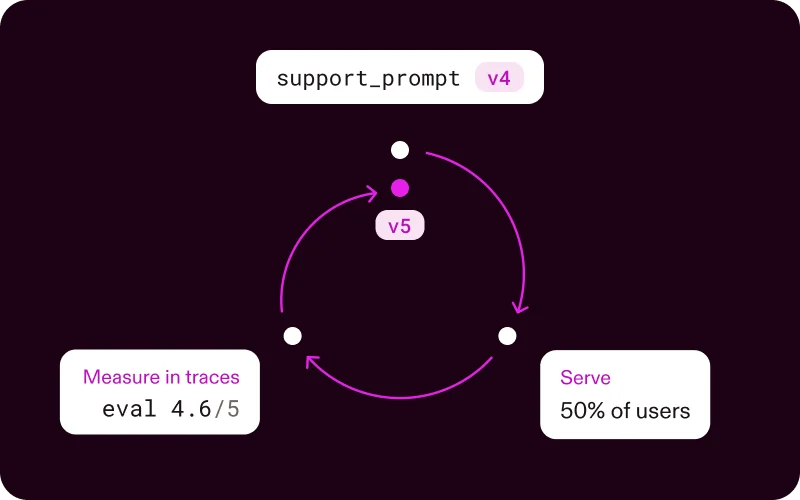
Run the same evaluators offline against a dataset to compare a prompt or model change, and live against production traffic to catch what your dataset never contained. Production failures become the next dataset case, and the loop starts again.

Because a score is just an attribute on a span, you can query your evals and the rest of your telemetry together with the same PostgreSQL-compatible SQL, and evals bill as ordinary records rather than carrying a separate per-score fee.

Read: Do evals the Airbnb way

The Pydantic Stack

From prompt to validated output in one trace

See how Pydantic AI, AI Gateway, and Logfire work together. Define your schema with Pydantic models, extract structured data with an AI agent, route through Gateway for model flexibility, and observe the entire flow in Logfire.

OpenTelemetry-native

Any framework with OTel instrumentation works automatically. No special Logfire integration needed. Vercel AI SDK, LangChain, FastAPI—enable OTel, point to Logfire, done.

Complete application traces

See your entire application: LLM calls, agent reasoning, database queries, API requests, vector searches, business logic, JS/TS frontend.

Integrated evaluation framework

Use Pydantic Evals to continuously evaluate LLM outputs in production. Curate datasets from production traces and catch regressions before users do.

Real-time cost tracking

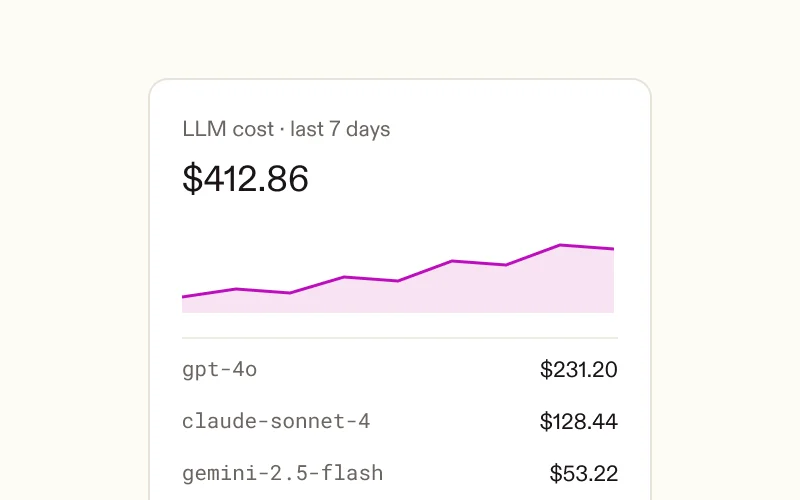
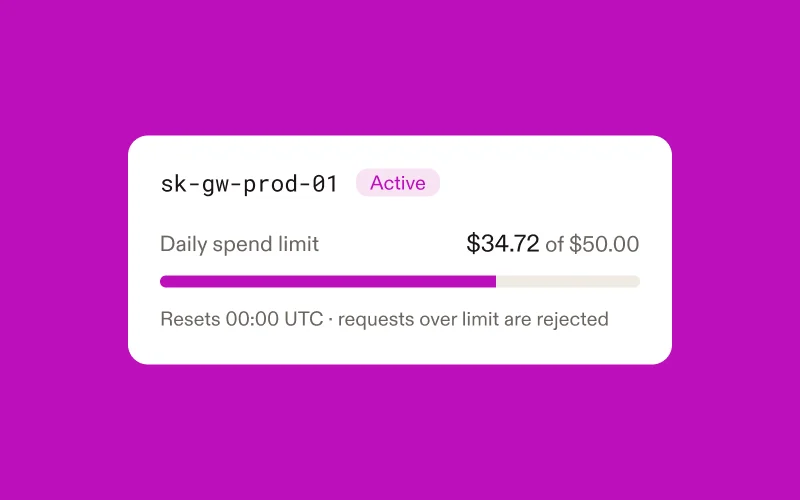
Track LLM API costs in real-time. Identify expensive prompts, optimize model selection, and set budget alerts. See exactly where your AI spending goes.

Pydantic AI and AI Gateway integration

Natively integrates with Pydantic AI and Pydantic AI Gateway for model routing & budget control across all major LLM providers.

From local dev to production

See all app traces in real-time as you code. Catch bugs in development, carry the same observability through to production. No tool switching, no friction.

First-party SDKs for Python, JS/TS and Rust

Full SDKs for Python (AI frameworks), JavaScript/TypeScript (Node.js, Next.js, browsers, Cloudflare Workers, Deno), and Rust. Plus any OTel language.

Query your data with SQL

Drill down into your traces with SQL and use Natural Language Processing (NLP) to auto-generate your SQL queries.

Need self-hosting, SSO, or custom data retention? Talk to our team

Open Standards

Monitor your stack with OpenTelemetry

Logfire is built on OpenTelemetry, giving you a unified view of logs, traces, and metrics with no vendor lock-in. Our SDKs for Python, Rust, and TypeScript make instrumentation simple, and power features like live spans that render before they complete.

Logs

Structured and automatically redacted, with every log (span) linked to its trace. Search instantly or query with SQL.

Traces

One end-to-end timeline that combines APIs, databases, third-party calls, LLMs, and AI agents in one view.

Metrics

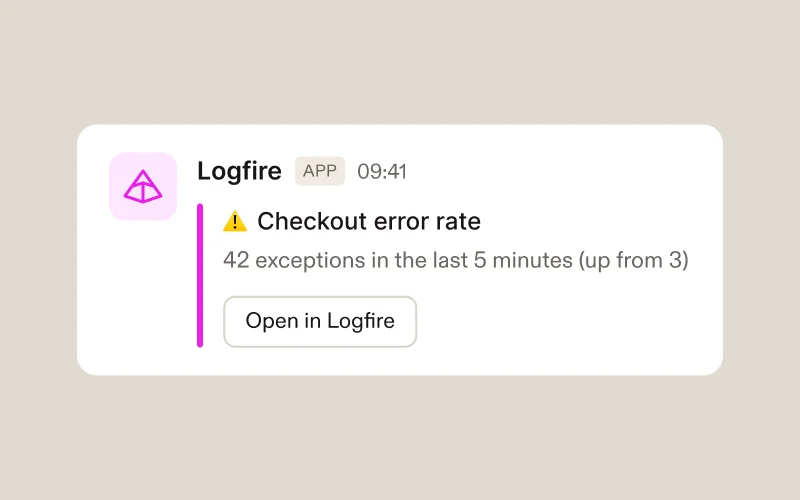
Track what matters to you: latency, errors, performance, cost, or any trend across your system. Set custom SLOs and alerts to keep your application reliable.

Multi-Language Support

Built for polyglot architectures

Real applications are rarely single-language. Your Python AI backend talks to a TypeScript frontend, Go microservices, and Java legacy systems. Logfire traces them all in unified, correlated views.

Python AI and a TypeScript frontend

See your agents and Next.js frontend in unified traces. Track requests from browser to AI model and back.

Microservices in several languages

Python, Go, Java, Node.js: one dashboard, complete visibility. Trace requests across service boundaries automatically.

Edge and backend

Cloudflare Workers or Vercel Edge to Python backend, traced end-to-end. See latency at every hop.

Build with Vercel and trace with Logfire

Logfire works seamlessly with the Vercel ecosystem. Use @vercel/otel automatic server-side tracing, or our browser SDK for client-side visibility. The Vercel AI SDK has built-in OTel support, so you enable it rather than add it.

Integrations

Logfire works with your entire stack

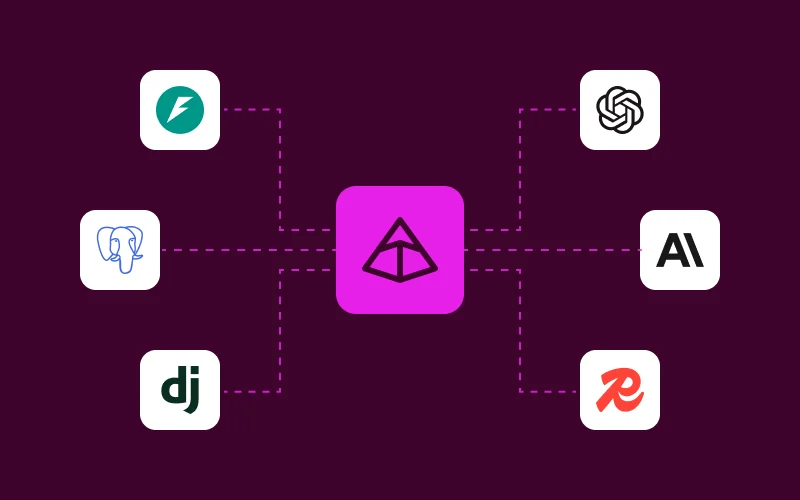
Observability should not require a rewrite of your codebase. Built on open standards (OTel) with SDKs for Python, Javascript/Typescript, and Rust, Logfire supports auto-instrumentation for AI frameworks, web frameworks, databases, background workers, browsers, and more.

Python

JavaScript / TypeScript

✨ Vercel AI SDK has built-in OTel support—no special integration needed

Rust

Built on tracing + OpenTelemetry ecosystem

Any Language via OpenTelemetry

Logfire is built on OpenTelemetry. Any framework with OTel instrumentation works automatically — no special integration needed. Our listed integrations are convenient wrappers, not requirements.

Go Java .NET Ruby PHP Erlang/Elixir Swift C++

Learn more about using standard OTel →

Insights

Query your data with full SQL

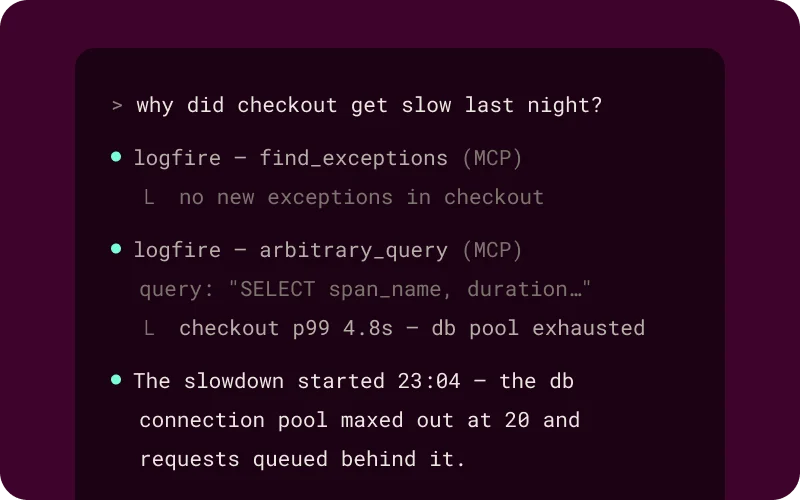
Query your data with full Postgres flavored SQL — all the control and (for many) nothing new to learn. Even if you don't like writing SQL, LLMs do, so SQL plus an MCP server lets your IDE use Pydantic Logfire as a window into your app's execution. Search for obstacles and opportunities, as you (or the AI) writes code.

With Proprietary DSLs

  • • Limited to anticipated queries
  • • AI assistants struggle with unfamiliar syntax
  • • Constrained analysis capabilities
  • • Vendor lock-in

With Logfire SQL

  • • Ask any question, get any answer
  • • AI assistants write excellent SQL
  • • Full analytical power—JOINs, aggregations, CTEs
  • • Familiar syntax—no new query language to learn

diagram showing an IDE using MCP server to query Logfire data

Enterprise Ready

Enterprise-level AI observability

AI applications often process sensitive user data. As a result, enterprise-level AI observability platforms need to meet strict security, compliance, and data privacy standards. Pydantic Logfire is architected to meet the rigorous governance standards of enterprise engineering teams.

Data sovereignty & self-hosting

Industries with strict data residency requirements (Finance, Healthcare, Legal) can make use of our fully self-hosted enterprise plan.

SOC2 Type II certified

Logfire is SOC2 Type II certified. We did not receive any exceptions in our report. A copy is available upon request.

HIPAA compliant

Logfire is HIPAA compliant. We are able to offer Business Associate Agreements (BAAs) to customers on our enterprise plans.

GDPR compliance & EU data region

Pydantic is fully GDPR compliant. For customers who need data kept in the EU, we offer an EU Data Region.

Logfire is already making developers' lives easier

Compare Logfire

See how Logfire compares to other observability and LLM monitoring tools.

Ready to see your complete AI application?

Start monitoring your LLMs, agents, and entire application stack in minutes. 10 million free spans, logs, and metrics per month. No credit card required.

Frequently asked questions

What is AI observability?
What is the difference between APM and AI Observability?
How does Logfire help with RAG (Retrieval-Augmented Generation)?
Does Logfire work with LangChain and LlamaIndex?
Does Logfire support AI Agents?
Is Logfire OpenTelemetry-native?
Do I need special Logfire integrations for my framework?
How does Logfire handle security, privacy, and PII?
Can Logfire help control and reduce the cost of running AI and LLMs?
Is Logfire only for Python applications?
What exactly is Logfire and how is it different from other observability tools?
How does Logfire compare to LangSmith / Langfuse?
Does Logfire only work with Pydantic AI, or can I use it with other frameworks?
How do I get started / how much code does it take?
What does it cost? Is it really free?
Can I self-host Logfire?

FOR DEVELOPERS

Ready to start building?

Logfire's has SDKs for Python, TypeScript/JavaScript, and Rust. The Python SDK is open source under the MIT license and wraps the OpenTelemetry Python package. By default, it will send data to the Logfire platform but you could send data to any OpenTelemetry Protocol (OTLP) compliant endpoint.

{
"by": "ellieh",
"descendants": 79,
"id": 40212490,
"kids": [
40212723,
40218832,
40219139,
40215351,
40216559,
40214627,
40214032,
40214699,
40215008,
40216537,
40216536,
40214894
],
"score": 146,
"time": 1714492570,
"title": "Pydantic Logfire",
"type": "story",
"url": "https://pydantic.dev/logfire"
}
{
"author": null,
"date": null,
"description": "Pydantic Logfire: Production-grade AI & general observability built on OpenTelemetry. Works with Python, JavaScript/TypeScript, Rust, Go, Java, and any OTel-compatible language. For LLMs, Agents, API & Apps. Distributed tracing, evals & cost tracking",
"image": "https://pydantic.dev/logfire/opengraph-image.jpg",
"logo": null,
"publisher": "Pydantic",
"title": "Pydantic Logfire: AI Observability for LLMs, Apps & RAG",
"url": "https://pydantic.dev/logfire"
}
{
"url": "https://pydantic.dev/logfire",
"title": "Pydantic Logfire: AI Observability for LLMs, Apps & RAG",
"description": "Pydantic Logfire: Production-grade AI & general observability built on OpenTelemetry. Works with Python, JavaScript/TypeScript, Rust, Go, Java, and any OTel-compatible language. For LLMs, Agents, API & Apps. Distributed tracing, evals & cost tracking",
"links": [
"https://pydantic.dev/logfire"
],
"image": "https://pydantic.dev/logfire/opengraph-image.jpg",
"content": "<div> <div> <div> <div> <p><span>Pydantic Logfire</span></p><svg width=\"291\" height=\"36\"></svg> <p><span> <strong>10M records free every month</strong> <span>No card required</span> </span> </p> </div> <h2>\nAI Observability Platform for LLMs, Apps &amp; AI Agents\n</h2> <p>\nMonitor your entire AI application stack, not just the LLM calls. See the model call, the agent's next step, the API request and the\n\t\t\t\t\t\t\tdatabase query behind it in one trace. SDKs for Python, JavaScript/TypeScript and Rust, and OpenTelemetry for everything else.\n</p> <div> <pre>This prompt was copied from the Pydantic Logfire website. Set up Logfire in this repository end to end and confirm that fresh data reaches the intended Logfire project.\nKeep the user informed with short progress updates, but continue through ordinary, reversible setup work without asking for approval. Do not require a clean Git working tree, a new branch, commits, a detailed task list, plan approval, or commands the user could run only because you chose not to run them. Preserve existing work and follow the repository's instructions.\nPause only for a real decision or boundary: interactive browser authentication, a genuinely ambiguous application or target project after inspection, enabling capture of potentially sensitive AI content, materially increasing production telemetry or cost, deployment or infrastructure changes, or destructive, irreversible, or unrelated work. Ask one concrete question when you need to pause.\n## Goal\nGet one representative runnable service sending useful traces, logs, or metrics to the exact Logfire project, then verify the first fresh signal. In a monorepo or multi-service system, prove this loop for one service before offering to expand to the rest.\n## 1. Understand the repository\n1. Read the applicable `AGENTS.md`, `CLAUDE.md`, `README.md`, contribution guidance, and existing setup or deployment files.\n2. Identify the language, runtime, package manager, runnable application entry point, and one representative request, job, or agent run to exercise. If this is a library with no application entry point, do not put SDK configuration in library code; use an existing example application or ask one focused question about what should run.\n3. Look for existing OpenTelemetry, tracing, logging, sampling, redaction, and exporter configuration. Reuse that telemetry path instead of creating a competing provider or duplicate exporter. Preserve existing scrubbing, sampling, and logging behavior.\n4. Inspect the working tree so you do not overwrite the user's changes, but do not make cleanliness, branching, or commits prerequisites for setup.\n## 2. Authenticate and select the exact project\nDetermine the target project's region from its URL or the user's context before authenticating. Run the Logfire CLI yourself from the application directory. Use `uvx logfire` for project authentication and selection regardless of the application's language or package manager; this is a setup tool, not an application dependency. If `uv` is unavailable, install it from https://docs.astral.sh/uv/getting-started/installation/, then use this sequence:\n```bash\nuvx logfire auth\nuvx logfire projects list\nuvx logfire projects use &lt;project-name&gt;\nuvx logfire whoami\n```\n1. Run the `auth` command. Let the user complete the browser sign-in if prompted, then continue as soon as the CLI succeeds. The region flag is global and must come immediately after `logfire`, for example `uvx logfire --region eu auth`. Use the same placement on project commands when the target region is known. If it is unknown, omit the flag and let `auth` ask.\n2. Run `projects list`. Select the organization and project established by the user's URL or context. If exactly one project is available, use it. If several projects are plausible and repository evidence does not identify the target, ask the user one concise project-selection question. If no projects exist, ask for the project name and run `uvx logfire projects new &lt;project-name&gt;` instead of stopping at an empty list.\n3. If local `.logfire` credentials or `LOGFIRE_TOKEN` already exist, run `whoami` before creating another token. Reuse them only when they identify the exact intended project and region.\n4. Otherwise, from the application root, run `projects use &lt;project-name&gt;` (add `--org &lt;organization-name&gt;` when needed). This creates `.logfire/logfire_credentials.json` plus `.logfire/.gitignore` with a project-scoped write token for local Python and Node.js development.\n5. Run `whoami` and record the exact organization, project, region, and project URL. `LOGFIRE_TOKEN` takes precedence over local credentials, so correct or remove a mismatched ambient token before exercising the app. Authentication alone is not enough: credentials, instrumentation, verification, and every link you give the user must all refer to this same project. Never silently substitute a latest-project redirect or a different convenient project.\nNever ask the user to paste a token into chat, and never print, log, hard-code, or commit one. Do not echo, print, or otherwise display the contents of `.logfire/logfire_credentials.json`, `~/.logfire/default.toml`, or any file holding a token in your own output -- a missing or malformed credentials file surfaces as a clear CLI error the next time you run `logfire`, so there is no need to open either file just to check it looks right. Run local Python and Node.js workloads from the directory containing `.logfire`, or set `LOGFIRE_CREDENTIALS_DIR` when their working directory differs. For Rust, Workers, deployed applications, and generic OpenTelemetry setups that do not read local CLI credentials, read the CLI-created token programmatically and transfer it without displaying it into the runtime's existing gitignored local secret mechanism: `LOGFIRE_TOKEN` for Rust and Workers, or the documented OTLP authorization header for generic clients. Put it in a local environment file only when the application already loads that file safely; use the deployment platform's secret manager for production. Browser code must send through an authenticated same-origin backend proxy and must never contain a write token. If a static browser app has no backend or proxy, do not use it as the first proof path.\n## 3. Install and instrument\nUse persistent dependency commands that match the repository, such as `uv add`, `pnpm add`, or `cargo add`, rather than a one-off global install.\nBefore editing instrumentation, fetch and read the official Logfire setup guide for coding agents at https://raw.githubusercontent.com/pydantic/logfire/refs/heads/main/logfire/.agents/skills/logfire-instrumentation/SKILL.md, then read the references it links for the representative service's language and frameworks. Use it to find the right runtime guidance, but verify exact APIs and dependency versions against the current linked documentation and installed package types rather than copying version literals.\n- Python: install `logfire` with the relevant extras, such as `logfire[fastapi]`, and configure it once at application startup. For a long-running Python service, include system metrics with the repository's dependency command, for example `uv add 'logfire[system-metrics]'` plus detected framework extras, or `uv add 'logfire[fastapi,system-metrics]'`; then call `logfire.instrument_system_metrics()` after `configure()` so the Hosts view works. Skip it for serverless or short-lived workloads and when an existing OpenTelemetry Collector already sends host metrics; do not use `base='full'` without explicit approval.\n- Node.js: use `@pydantic/logfire-node`.\n- Browser: use `@pydantic/logfire-browser` with the documented backend `traceUrl` proxy.\n- Cloudflare Workers: use `@pydantic/logfire-cf-workers` and `logfire`, with the token stored as a Worker secret.\n- Rust: use the `logfire` crate and read `LOGFIRE_TOKEN` from the environment.\n- Go, Java, .NET, Ruby, PHP, Elixir, and other languages: use the standard OpenTelemetry SDK and the relevant guide at https://pydantic.dev/docs/logfire/guides/alternative-clients/.\nRead https://pydantic.dev/docs/logfire/resources/languages/ and the applicable pages under https://pydantic.dev/docs/logfire/integrations/. For Python, run `logfire inspect` inside the application's own environment after installing Logfire, for example `uv run logfire inspect`; do not use the isolated `uvx` environment for package detection. Prefer supported integrations for the frameworks, databases, HTTP clients, task queues, and AI libraries already used by the representative service. Add a stable service name. If no integration produces an identifiable operation, add one small, useful manual span around the representative request or job rather than scattering instrumentation through the codebase.\nFor AI instrumentation, begin in metadata-only or no-content mode: record timing, model/provider, token usage, tool names, status, and errors without prompts, responses, tool arguments, tool results, or binary content. Do not assume an instrumentor's default is content-safe and do not rely on scrubbing for AI message attributes. Use explicit documented controls, including `logfire.instrument_pydantic_ai(include_content=False, include_binary_content=False)` for Pydantic AI and `recordInputs: false, recordOutputs: false` with Vercel AI SDK telemetry. If an integration has no documented content-disable control, do not enable that integration on the initial pass; use a small metadata-only manual span or ask for explicit approval. After the first signal is verified, explain the debugging benefit and privacy tradeoff of content capture and enable it only with explicit user approval.\nMake the smallest useful setup change. Do not refactor unrelated code, instrument every service before the first success, change production sampling, or deploy anything as part of the initial proof.\n## 4. Exercise and verify\n1. Run the relevant format, lint, typecheck, and focused tests for the files you changed. Distinguish pre-existing or unrelated failures from regressions caused by the setup; report them, but do not misrepresent them as a Logfire failure.\n2. Start the real application or workload from the credential-aware working directory and trigger one representative request, job, or agent run. Note an identifiable service name and operation that should appear. If system metrics were enabled, keep the process alive long enough for at least one collection interval.\n3. Check for startup, credential, and exporter errors, but do not treat their absence as success.\n4. Confirm that fresh data appears in the exact project reported by `whoami`. Run `uvx logfire projects status` to see what has actually arrived, per service -- if it reports no usable read token, run `uvx logfire read-tokens create --save` and try again -- or use available Logfire MCP, API, or signed-in browser capabilities to search for the service and operation yourself. Never print, log, or paste a token itself. Ask the user to check the exact Live view only when you genuinely cannot access a verification path. If system metrics were enabled and you can access the UI or API, also confirm the host or a fresh `system.*` metric.\nIf data does not appear, trace the path in order: application startup and configuration, exact project credentials and region, integration registration, the exercised code path, exporter errors or flushing, and ingestion. Make the smallest safe correction, rerun the workload, and verify again. Report one specific blocker if you cannot complete the loop; do not return a generic troubleshooting checklist.\nSuccess means fresh telemetry from the exercised workload was observed in the intended project. Summarize what you changed, what you ran, the exact project used, and the signal you verified. If system metrics were enabled, link to that exact project's Hosts view, offer the `Basic System Metrics (Logfire)` dashboard, and state whether host data was observed or is still awaiting its first collection. Then offer relevant next steps such as expanding to other services, production credential wiring, dashboards, alerts, additional integrations, or opt-in AI content capture. Offer commits or a pull request if useful, but do not make them a prerequisite and do not create a PR unless the user asks.</pre> </div> </div> <div> <p>Companies who trust Pydantic Logfire</p> </div> </div> <div> <p>Understanding</p> <div> <h2>What is an AI observability platform?</h2> </div> <div> <p>\nAn AI observability platform is a tool that provides advanced features beyond traditional monitoring. While standard monitoring tells\n\t\t\t\t\t\tyou that a system failed, an observability tool allows you to identify the underlying causes. In the era of Large Language Models (LLMs)\n\t\t\t\t\t\tand autonomous agents, this distinction is critical.\n</p> <p>\nAn effective AI observability platform allows engineering teams to trace the lifecycle of a prompt, analyze token usage and latency per\n\t\t\t\t\t\tstep, and benchmark model responses against groundedness and toxicity metrics.\n</p> </div> </div> <div> <p>The Full Picture</p> <div> <h2>Break down silos: one tool for both AI and general observability</h2> </div> <p>\nMost engineering teams are forced to use one observability tool for their backend application and a completely separate one for their LLMs.\n\t\t\t\t\tHowever, problems in production AI applications rarely come from the LLM alone. They hide in the seams: slow database queries that delay\n\t\t\t\t\tcontext retrieval, API timeouts during agent tool calls, inefficient vector searches, or memory leaks in background tasks. You need\n\t\t\t\t\tvisibility across your entire application stack, not just the LLM calls.\n</p> <div> <div> <h3>What Logfire shows you</h3> <ul> <li> <span>✓</span> <span> <strong>Complete application traces</strong> from request to response\n</span> </li> <li> <span>✓</span> <span> <strong>Database</strong> queries, <strong>API</strong> calls, and business logic\n</span> </li> <li> <span>✓</span> <span> <strong>Dashboards</strong> and application <strong>metrics</strong> </span> </li> <li> <span>✓</span> <span> <strong>One platform</strong> with <strong>first-class AI &amp; general observability</strong> for your entire application\n</span> </li> </ul> </div> <div> <h3>What others show you</h3> <ul> <li> <span>✗</span> <span>LLM request/response only</span> </li> <li> <span>✗</span> <span>Missing context on performance bottlenecks</span> </li> <li> <span>✗</span> <span>No visibility into retrieval quality</span> </li> <li> <span>✗</span> <span>Separate tools for app monitoring</span> </li> </ul> </div> </div> </div> <div> <p>Evals</p> <div> <h2>Evals that live inside the trace, not in a tool beside it</h2> </div> <p>\nAirbnb published the clearest public account of evaluating generative AI at scale: read real outputs first, then build evaluators for the\n\t\t\t\tfailures you actually found, in three layers. Logfire runs all three, and the score lands on the span it scored, beside the database query, the\n\t\t\t\ttool call, and the retry that explain it.\n</p> <div> <div> <p>01</p> <h3>Programmatic checks</h3> <p>Failures code can identify exactly: malformed JSON, a missing citation, a tool called with the wrong arguments, a response over the length budget. Cheap, deterministic, and they run on every case.</p> <p><a target=\"_blank\" href=\"https://pydantic.dev/docs/logfire/evaluate/evals/\"> Writing evals </a> </p></div><div> <p>02</p> <h3>LLM judges, one job each</h3> <p>For the qualities code cannot check: is the tone right, does the answer follow from the retrieved context, is it actually responsive to the question. A judge with one narrow job is far more reliable than one asked to grade everything.</p> <p><a target=\"_blank\" href=\"https://pydantic.dev/docs/logfire/evaluate/datasets-and-experiments/\"> Datasets and experiments </a> </p></div><div> <p>03</p> <h3>Human review as ground truth</h3> <p>People settle the disputed cases and calibrate the judges, so you know how far to trust an automated score before you gate a release on it.</p> <p><a target=\"_blank\" href=\"https://pydantic.dev/docs/logfire/evaluate/human-review/\"> Human review </a> </p></div> </div> <div> <h3>Then close the loop</h3> <p>\nRun the same evaluators offline against a dataset to compare a prompt or model change, and\n<a target=\"_blank\" href=\"https://pydantic.dev/docs/logfire/evaluate/live-evals/\">\nlive against production traffic\n</a>\nto catch what your dataset never contained. Production failures become the next dataset case, and the loop starts again.\n</p> <p>\nBecause a score is just an attribute on a span, you can query your evals and the rest of your telemetry together with the same\n\t\t\t\t\tPostgreSQL-compatible SQL, and evals bill as ordinary records rather than carrying a separate per-score fee.\n</p> <p> <a target=\"_blank\" href=\"https://pydantic.dev/articles/three-layer-evals-logfire\">\nRead: Do evals the Airbnb way\n</a> </p> </div> </div> <div> <p>The Pydantic Stack</p> <div> <h2>From prompt to validated output in one trace</h2> </div> <p>\nSee how Pydantic AI, AI Gateway, and Logfire work together. Define your schema with Pydantic models, extract structured data with an AI\n\t\t\t\t\tagent, route through Gateway for model flexibility, and observe the entire flow in Logfire.\n</p> </div> <div> <div> <div> <h3>OpenTelemetry-native</h3> <p>\nAny framework with OTel instrumentation works automatically. No special Logfire integration needed. Vercel AI SDK, LangChain,\n\t\t\t\t\t\t\tFastAPI—enable OTel, point to Logfire, done.\n</p> </div> <div> <h3>Complete application traces</h3> <p>\nSee your entire application: LLM calls, agent reasoning, database queries, API requests, vector searches, business logic, JS/TS\n\t\t\t\t\t\t\tfrontend.\n</p> </div> <div> <h3>Integrated evaluation framework</h3> <p>\nUse <a href=\"https://pydantic.dev/docs/logfire/evaluate/evals/\" target=\"_blank\">Pydantic Evals</a> \nto continuously evaluate LLM outputs in production. Curate datasets from production traces and catch regressions before users do.\n</p> </div> <div> <h3>Real-time cost tracking</h3> <p>\nTrack <a href=\"https://pydantic.dev/docs/logfire/observe/llm-panels/#understand-token-cost-badges\" target=\"_blank\">LLM API costs</a> \nin real-time. Identify expensive prompts, optimize model selection, and set budget alerts. See exactly where your AI spending goes.\n</p> </div> <div> <h3>Pydantic AI and AI Gateway integration</h3> <p>\nNatively integrates with <a target=\"_blank\" href=\"https://pydantic.dev/docs/ai/overview/\"> Pydantic AI </a> \nand <a target=\"_blank\" href=\"https://pydantic.dev/ai-gateway/\"> Pydantic AI Gateway </a> \nfor model routing &amp; budget control across all major LLM providers.\n</p> </div> <div> <h3>From local dev to production</h3> <p>\nSee all app traces in real-time as you code. Catch bugs in development, carry the same observability through to production. No tool\n\t\t\t\t\t\t\tswitching, no friction.\n</p> </div> <div> <h3>First-party SDKs for Python, JS/TS and Rust</h3> <p>\nFull SDKs for <a target=\"_blank\" href=\"https://github.com/pydantic/logfire/?utm_source=logfire_webpage\">Python</a> \n(AI frameworks), <a target=\"_blank\" href=\"https://github.com/pydantic/logfire-js/?utm_source=logfire_webpage\">JavaScript/TypeScript</a> \n(Node.js, Next.js, browsers, Cloudflare Workers, Deno), and <a target=\"_blank\" href=\"https://docs.rs/logfire/latest/logfire/?utm_source=logfire_webpage\">Rust</a>. Plus any OTel language.\n</p> </div> <div> <h3>Query your data with SQL</h3> <p>\nDrill down into your <a target=\"_blank\" href=\"https://pydantic.dev/docs/logfire/reference/sql/\"> traces with SQL </a> \nand use Natural Language Processing (NLP) to auto-generate your SQL queries.\n</p> </div> </div> <p>\nNeed self-hosting, SSO, or custom data retention? <a href=\"https://portal.usepylon.com/pydantic/forms/demorequest\" target=\"_blank\"> Talk to our team </a> </p> </div> <div> <p>Open Standards</p> <div> <h2>Monitor your stack with OpenTelemetry</h2> </div> <p>\nLogfire is built on OpenTelemetry, giving you a unified view of logs, traces, and metrics with no vendor lock-in. Our SDKs for Python, Rust,\n\t\t\t\t\tand TypeScript make instrumentation simple, and power features like live spans that render before they complete.\n</p> <div> <div> <h3>Logs</h3> <p>\nStructured and automatically redacted, with every log (span) linked to its trace. Search instantly or query with SQL.\n</p> </div> <div> <h3>Traces</h3> <p>\nOne end-to-end timeline that combines APIs, databases, third-party calls, LLMs, and AI agents in one view.\n</p> </div> <div> <h3>Metrics</h3> <p>\nTrack what matters to you: latency, errors, performance, cost, or any trend across your system. Set custom SLOs and alerts to keep\n\t\t\t\t\t\t\tyour application reliable.\n</p> </div> </div> </div> <div> <p>Multi-Language Support</p> <div> <h2>Built for polyglot architectures</h2> </div> <p>\nReal applications are rarely single-language. Your Python AI backend talks to a TypeScript frontend, Go microservices, and Java legacy\n\t\t\t\t\tsystems. Logfire traces them all in unified, correlated views.\n</p> <div> <div> <h3>Python AI and a TypeScript frontend</h3> <p>\nSee your agents and Next.js frontend in unified traces. Track requests from browser to AI model and back.\n</p> </div> <div> <h3>Microservices in several languages</h3> <p>\nPython, Go, Java, Node.js: one dashboard, complete visibility. Trace requests across service boundaries automatically.\n</p> </div> <div> <h3>Edge and backend</h3> <p>Cloudflare Workers or Vercel Edge to Python backend, traced end-to-end. See latency at every hop.</p> </div> <div> <h3>Build with Vercel and trace with Logfire</h3> <p>\nLogfire works seamlessly with the Vercel ecosystem. Use <strong>@vercel/otel</strong> automatic server-side tracing, or our browser SDK\n\t\t\t\t\t\t\tfor client-side visibility. The Vercel AI SDK has built-in OTel support, so you enable it rather than add it.\n</p> </div> </div> </div> <div> <p>Integrations</p> <div> <h2>Logfire works with your entire stack</h2> </div> <p>\nObservability should not require a rewrite of your codebase. Built on open standards (OTel) with SDKs for Python, Javascript/Typescript, and\n\t\t\t\t\tRust, Logfire supports auto-instrumentation for AI frameworks, web frameworks, databases, background workers, browsers, and more.\n</p> <div> <div> <h3>Python</h3> </div> <div> <div> <div> <h3>JavaScript / TypeScript</h3> </div> <p>✨ Vercel AI SDK has built-in OTel support—no special integration needed</p> </div> <div> <div> <h3>Rust</h3> </div> <p>Built on tracing + OpenTelemetry ecosystem</p> </div> </div> <div> <div> <h3>Any Language via OpenTelemetry</h3> </div> <p>\nLogfire is built on OpenTelemetry. <strong>Any framework with OTel instrumentation works automatically — no special integration needed.</strong> Our listed integrations\n\t\t\t\t\t\t\tare convenient wrappers, not requirements.\n</p> <p><span> Go </span><span> Java </span><span> .NET </span><span> Ruby </span><span> PHP </span><span> Erlang/Elixir </span><span> Swift </span><span> C++ </span> </p> <p> <a href=\"https://pydantic.dev/docs/logfire/guides/alternative-clients/\" target=\"_blank\">Learn more about using standard OTel →</a> </p> </div> </div> </div> <div> <p>Insights</p> <div> <h3>Query your data with full SQL</h3> </div> <p>\nQuery your data with full Postgres flavored SQL — all the control and (for many) nothing new to learn. Even if you don't like writing\n\t\t\t\t\tSQL, LLMs do, so SQL plus an MCP server lets your IDE use Pydantic Logfire as a window into your app's execution. Search for obstacles\n\t\t\t\t\tand opportunities, as you (or the AI) writes code.\n</p> <div> <div> <h4>With Proprietary DSLs</h4> <ul> <li>• Limited to anticipated queries</li> <li>• AI assistants struggle with unfamiliar syntax</li> <li>• Constrained analysis capabilities</li> <li>• Vendor lock-in</li> </ul> </div> <div> <h4>With Logfire SQL</h4> <ul> <li>• Ask any question, get any answer</li> <li>• AI assistants write excellent SQL</li> <li>• Full analytical power—JOINs, aggregations, CTEs</li> <li>• Familiar syntax—no new query language to learn</li> </ul> </div> </div> <p><img alt=\"diagram showing an IDE using MCP server to query Logfire data\" src=\"https://pydantic.dev/cdn-cgi/image/width=3840,quality=75,format=auto/https://pydantic.dev/assets/logfire/query-data.png\" srcset=\"https://pydantic.dev/cdn-cgi/image/width=1920,quality=75,format=auto/https://pydantic.dev/assets/logfire/query-data.png 1x, https://pydantic.dev/cdn-cgi/image/width=3840,quality=75,format=auto/https://pydantic.dev/assets/logfire/query-data.png 2x\" /> </p> </div> <div> <p>Enterprise Ready</p> <h2>Enterprise-level AI observability</h2> <p>\nAI applications often process sensitive user data. As a result, enterprise-level AI observability platforms need to meet strict security,\n\t\t\t\t\tcompliance, and data privacy standards. Pydantic Logfire is architected to meet the rigorous governance standards of enterprise engineering\n\t\t\t\t\tteams.\n</p> <div> <div> <h3>Data sovereignty &amp; self-hosting</h3> <p>\nIndustries with strict data residency requirements (Finance, Healthcare, Legal) can make use of our fully self-hosted enterprise\n\t\t\t\t\t\t\tplan.\n</p> </div> <div> <h3>SOC2 Type II certified</h3> <p>\nLogfire is SOC2 Type II certified. We did not receive any exceptions in our report. A copy is available upon request.\n</p> </div> <div> <h3>HIPAA compliant</h3> <p>\nLogfire is HIPAA compliant. We are able to offer Business Associate Agreements (BAAs) to customers on our enterprise plans.\n</p> </div> <div> <h3>GDPR compliance &amp; EU data region</h3> <p>\nPydantic is fully GDPR compliant. For customers who need data kept in the EU, we offer an EU <a href=\"https://pydantic.dev/docs/logfire/manage/data-regions/\" target=\"_blank\">Data Region</a>.\n</p> </div> </div> </div> <section><p></p><h2>Logfire is already making developers' lives easier</h2><p></p></section> <div> <h2>Compare Logfire</h2> <p>\nSee how Logfire compares to other observability and LLM monitoring tools.\n</p> </div> <div> <h2>Ready to see your complete AI application?</h2> <p>\nStart monitoring your LLMs, agents, and entire application stack in minutes. 10 million free spans, logs, and metrics per month. No credit\n\t\t\t\t\tcard required.\n</p> </div> <div> <h2>Frequently asked questions</h2> <div> <details> <summary> <span>What is AI observability?</span> </summary> </details><details> <summary> <span>What is the difference between APM and AI Observability?</span> </summary> </details><details> <summary> <span>How does Logfire help with RAG (Retrieval-Augmented Generation)?</span> </summary> </details><details> <summary> <span>Does Logfire work with LangChain and LlamaIndex?</span> </summary> </details><details> <summary> <span>Does Logfire support AI Agents?</span> </summary> </details><details> <summary> <span>Is Logfire OpenTelemetry-native?</span> </summary> </details><details> <summary> <span>Do I need special Logfire integrations for my framework?</span> </summary> </details><details> <summary> <span>How does Logfire handle security, privacy, and PII?</span> </summary> </details><details> <summary> <span>Can Logfire help control and reduce the cost of running AI and LLMs?</span> </summary> </details><details> <summary> <span>Is Logfire only for Python applications?</span> </summary> </details><details> <summary> <span>What exactly is Logfire and how is it different from other observability tools?</span> </summary> </details><details> <summary> <span>How does Logfire compare to LangSmith / Langfuse?</span> </summary> </details><details> <summary> <span>Does Logfire only work with Pydantic AI, or can I use it with other frameworks?</span> </summary> </details><details> <summary> <span>How do I get started / how much code does it take?</span> </summary> </details><details> <summary> <span>What does it cost? Is it really free?</span> </summary> </details><details> <summary> <span>Can I self-host Logfire?</span> </summary> </details> </div> </div> <div> <p>FOR DEVELOPERS</p> <p>Ready to start building?</p> <p>\nLogfire's has SDKs for Python, TypeScript/JavaScript, and Rust. The Python SDK is open source under the MIT license and\n\t\t\t\t\t\t\t\twraps the OpenTelemetry Python package. By default, it will send data to the Logfire platform but you could send data to any\n\t\t\t\t\t\t\t\tOpenTelemetry Protocol (OTLP) compliant endpoint.\n</p> </div> </div>",
"author": "",
"favicon": "https://pydantic.dev/favicon/favicon.ico",
"source": "pydantic.dev",
"published": "",
"ttr": 677,
"type": ""
}